Mavis AI
Mavis AI helps data teams answer real business questions without writing SQL. I redesigned the full Narrator experience, from AI chat and query building to reports, datasets, and transformations. The goal was to make a powerful analytics platform feel approachable without removing the depth serious data teams rely on

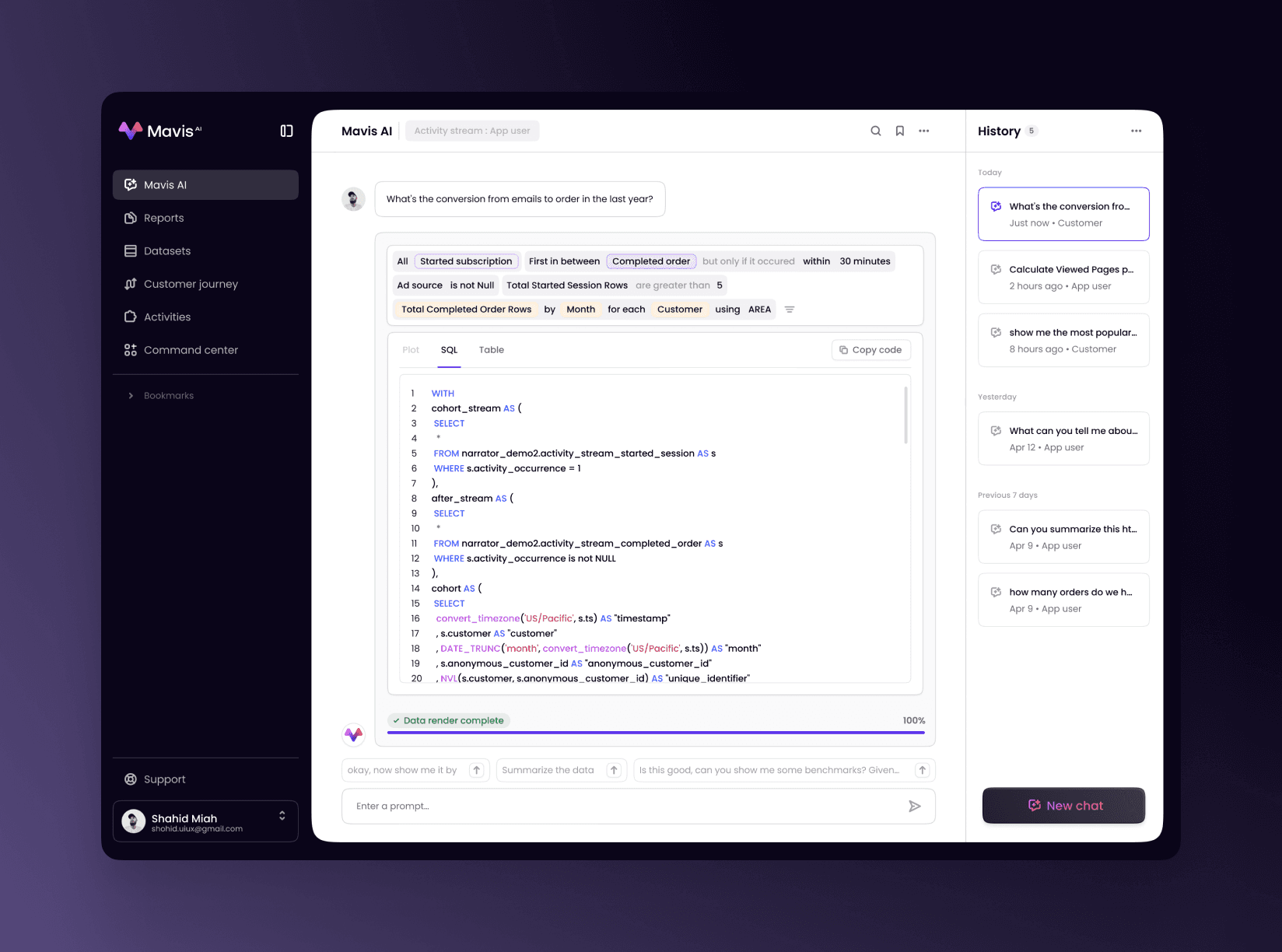
Most query builders scare people off before they start. I replaced rigid controls with natural language filters that read like sentences and show logic clearly. Queries live in two modes. View mode focuses on results. Edit mode reveals the full builder with joins, time windows, and conditions. Users switch instantly, charts update live, and context is never lost.


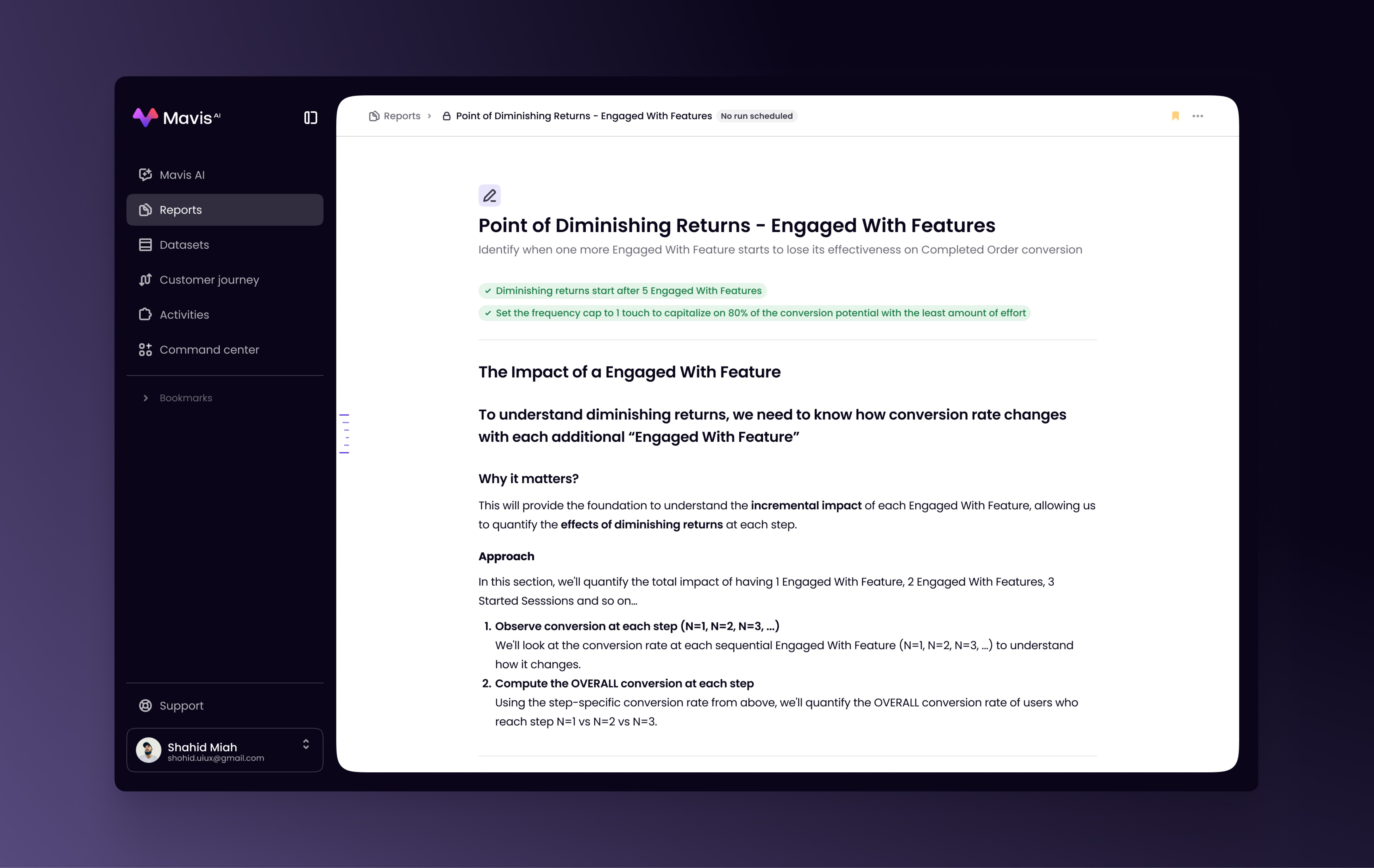
Analytics rarely tell a story out of the box. I designed reports as flexible documents. Start with context, add sections, drop in charts, and support insights with metric cards and formatting. Reports work the way analysts think. Narrative first, data as proof. Each chart can pull from different datasets and logic, all within a single report.
Editing charts usually feels buried and indirect. I made it visual and immediate. Click a chart or metric card and edit it in place. Configuration lives on the left, live preview on the right. Add trend lines, annotations, formulas, or filters and see updates instantly. The same pattern applies everywhere, so once you learn it, you can move fast.

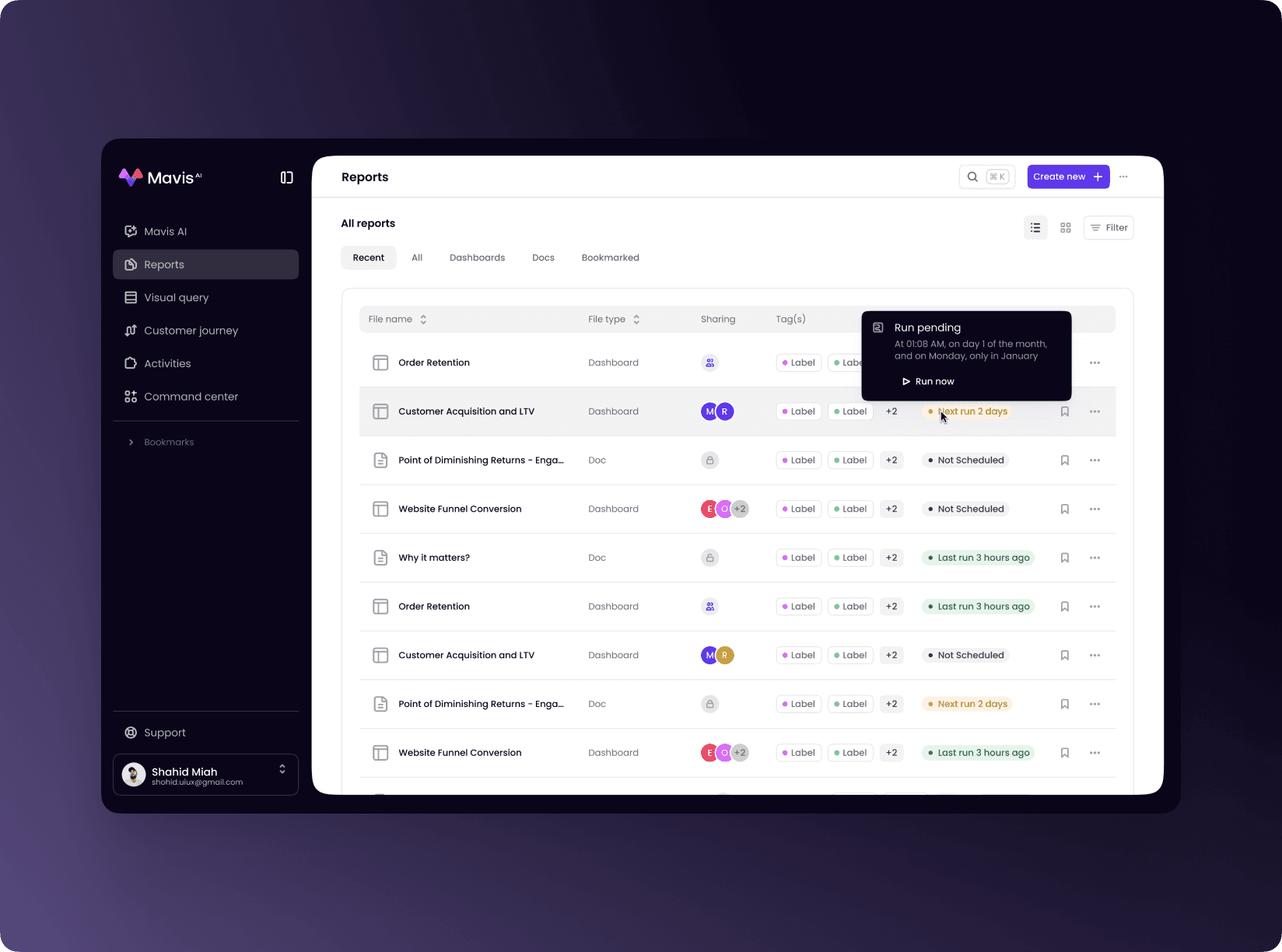
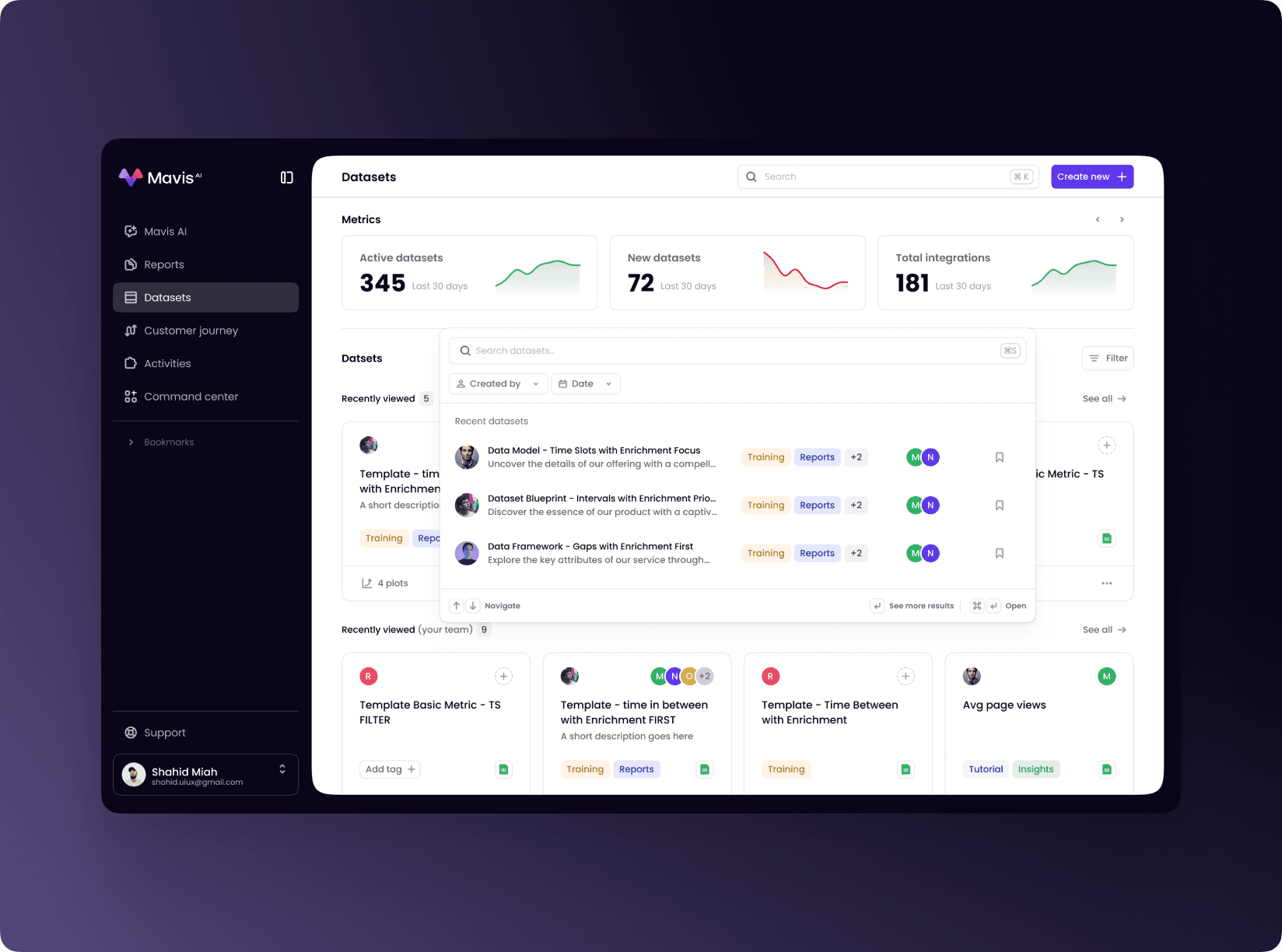
Analytics tools tend to fill up with forgotten work. I designed multiple ways to find what matters. Card view shows previews so patterns are visible before opening. Table view shows ownership, tags, and last run time. Recently viewed surfaces what teams actually use. Search is instant, creation is always one click away.

Managing transformations at scale demands visibility. I surfaced key metrics up top, then list every transformation with source, destination, dependencies, and status. Everything communicates health at a glance. Bulk actions are explicit. Select items, see available actions, confirm. Nothing hidden. Nothing ambiguous.

Dataset management works more like browsing files than querying a database. Cards show ownership, tags, descriptions, and usage. Metrics highlight what’s active and what’s new. Recently viewed datasets come first. Tags organize without forcing rigid folders. The experience feels lightweight and exploratory, not technical.


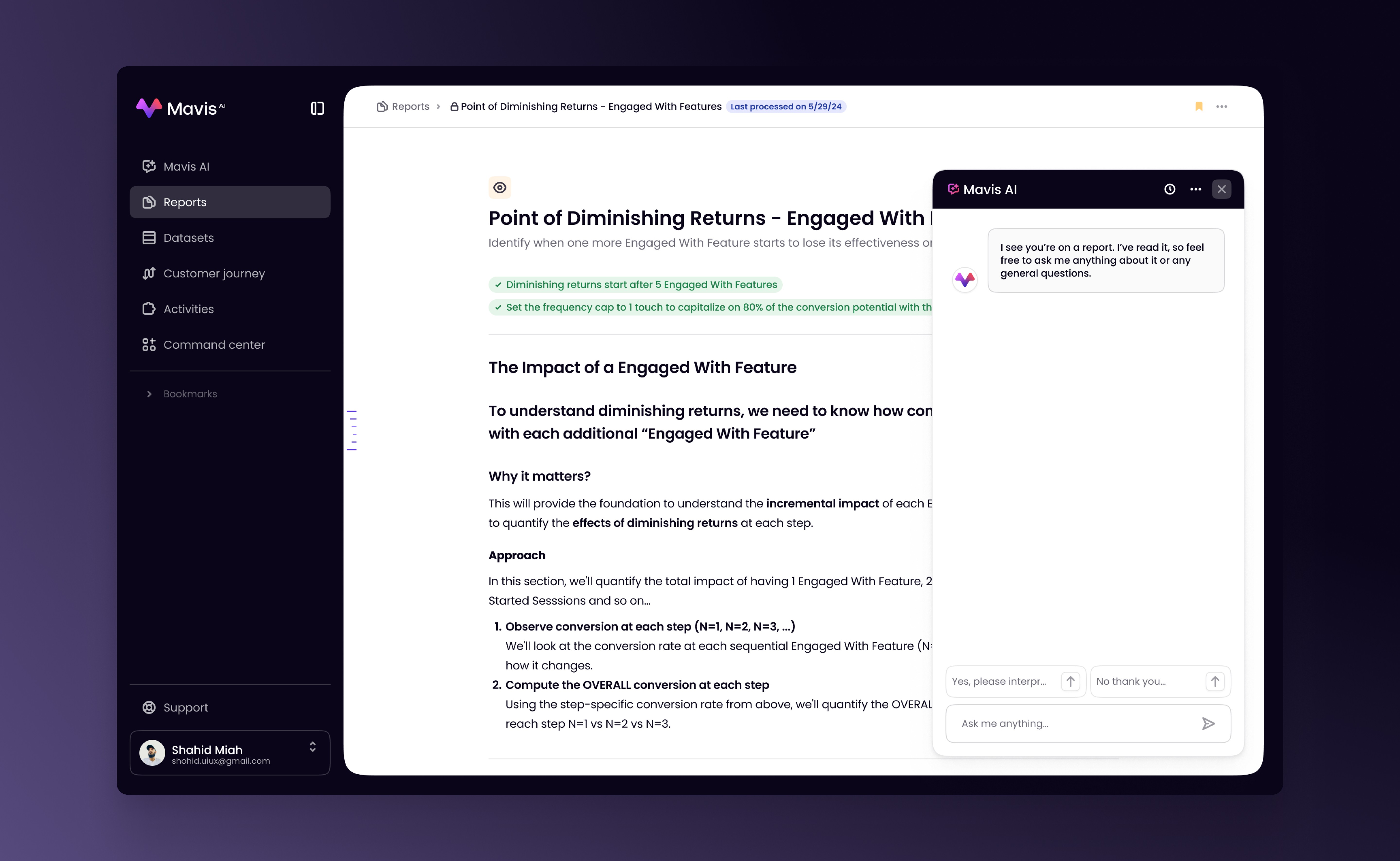
The AI chat lives alongside your work and knows what you’re looking at. Ask questions about the report you’re reading or the dataset you’re using and get answers grounded in context. Suggested follow-ups help you go deeper. Conversations are saved and grouped so insight builds over time. The chat doesn’t replace analysis. It accelerates it.